
Gertrude 2.9.0 Released
Today we are releasing Gertrude v2.9.0 - our biggest single update to our flagship Mac app ever. It includes new features like unfiltered-mode and always-blocked items, screenshot privacy enhancements, a major performance improvement, fixes for non-Safari browsers, and a substantially more full-featured setup wizard.
- Platform
- macOS
 Gertrude for Mac
 Today we are releasing Gertrude v2.9.0 - our biggest single update to our flagship Mac app ever. It includes new features like unfiltered-mode and always-blocked items, screenshot privacy enhancements, a major performance improvement, fixes for non-Safari browsers, and a substantially more full-featured setup wizard.
New Feature Unfiltered Internet Mode
The vast majority of Gertrude mac users want the internet to be filtered. But a small but important subset of users want all of the monitoring, oversight and accountability that Gertrude can provide, without actually blocking the internet. This often makes a lot of sense for older teens, or adults in accountability relationships.
Before this version, this setup was technically possible to achieve, but really difficult. Now it's a first-class option you can enable if this makes sense for the loved-one you're protecting.
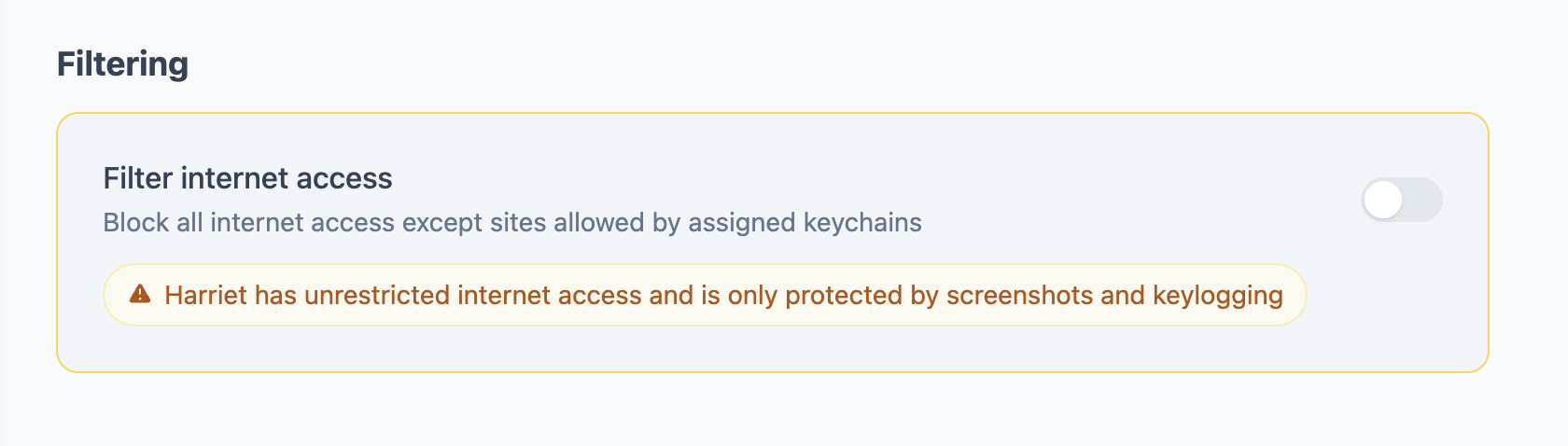
If you have internet filtering disabled, you still get tons of really great safety guarantees from Gertrude, like:
- Screenshots and keystroke logging continue
- If screenshots or keystroke logging ever stop for an unexpected reason, all internet will be blocked.
- Security events are emitted (you can subscribe to notifications for these) when unusual or possibly unsafe events occur.
- Always-Blocked items (see below) are still blocked by the filter allowing you to still restrict access to certain apps and sites.
- Any blocked apps are still unusable, even with filtering disabled.
New Feature Always-Blocked
Several times over the years I've gotten an email from a parent asking:
Does the Gertrude Mac app block the
#imagesGIF search in Messages?
(Blocking animated GIF search inside Apple's texting app is probably the most popular feature of our iPhone and iPad app. The same dangerous feature exists on the Mac version of the texting app Messages.)
The answer I always had to give was:
Yup! ...Except when your child is on a filter suspension, then all bets are off.
I always hated saying the second part—it made me realize there was a missing feature here: there are some things that we want always to be blocked even when the filter is suspended. Gertrude v2.9.0 adds this option. You can now choose some things that will always be blocked, even during filter suspensions.
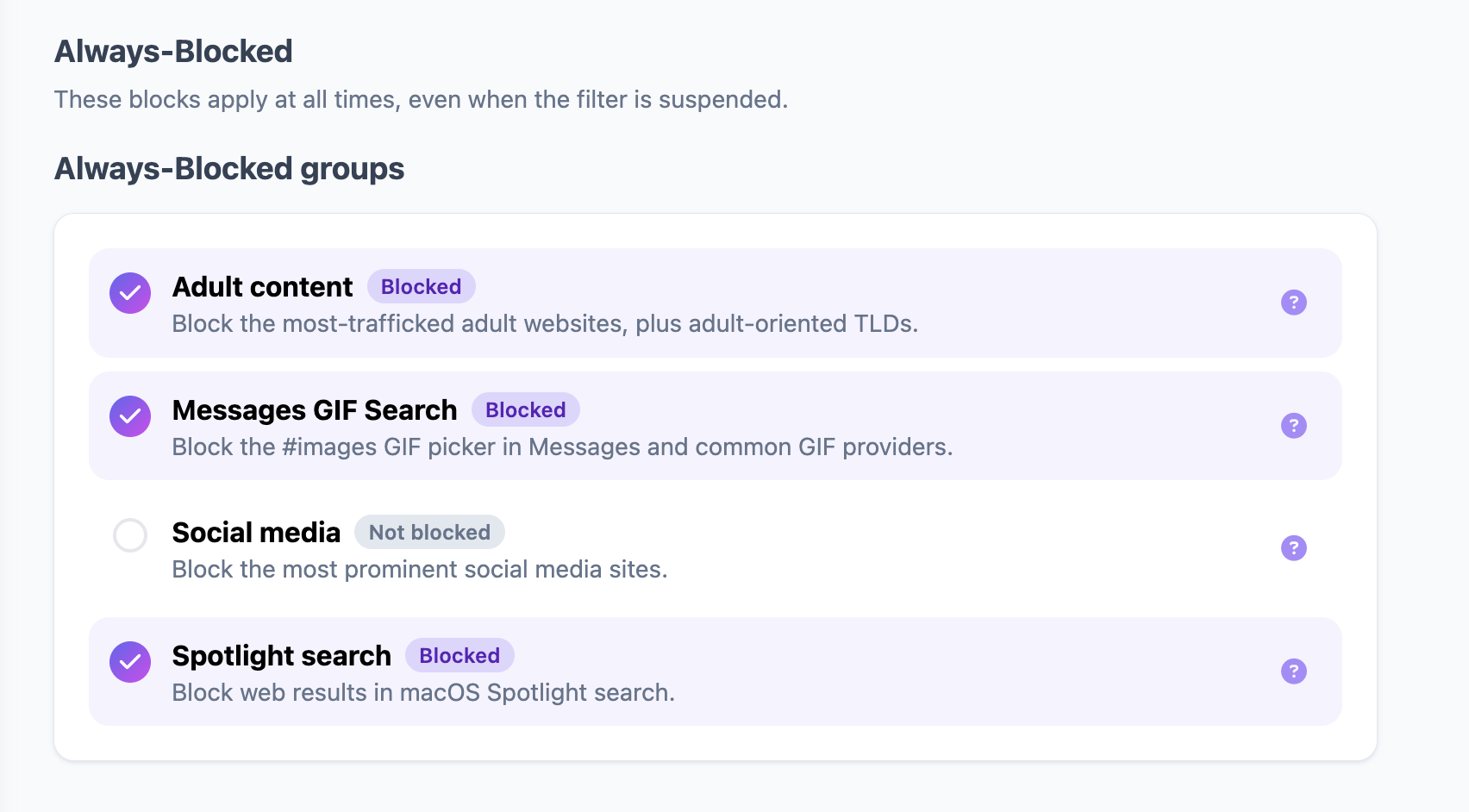
We start by giving you 4 basic groups of blocks, that you can opt into:
- animated GIF
#imagessearch in Messages mac app - top adult/porn sites, including all
.xxx,.porn, and.sexsites - spotlight image/web searches
- top social media sites (Facebook, Instagram, Twitter/X, TikTok, Snapchat, Pinterest)
You can also create your own custom always-block rules. This can be especially helpful if you have kids who sometimes are tempted to go to certain websites when on filter suspensions.
New Feature Unlock request batch-mode
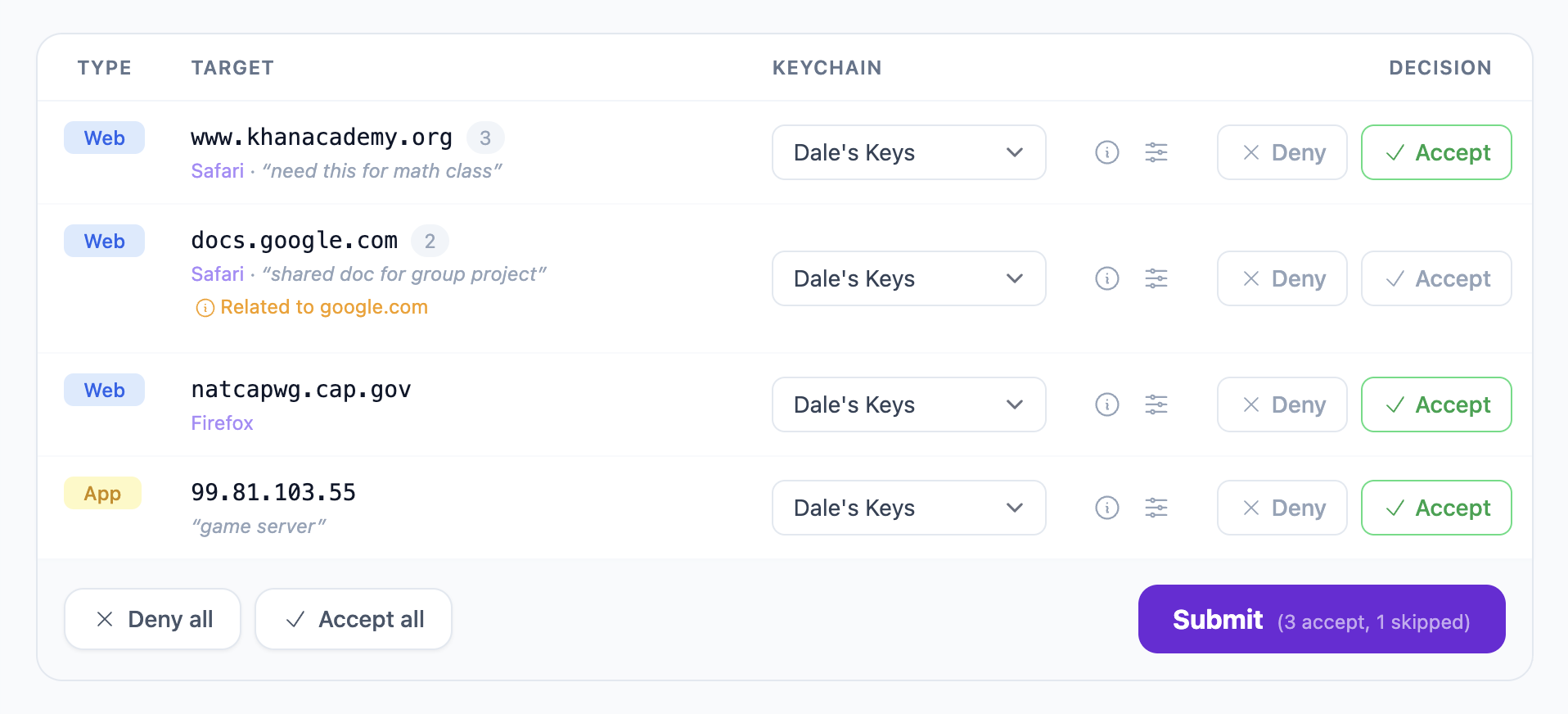
When you're first getting started with Gertrude for Mac, or when your child is requesting access to new websites and platforms, it's not unusual to receive many unlock requests at once. Until recently, responding to multiple unlock requests was... ehm... a little painful to say the least. Lots and lots of clicks.
We recently overhauled this part of the parent's website to make it much easier to respond to groups of unlock requests.
Major improvements for Chrome and Firefox

Ever since Gertrude was first created, it has worked better for Safari than for other non-Safari browsers like Chrome and Firefox. When I say better, I don't mean safer—Gertrude has always been just as safe for all browsers, but it has been easier to use in Safari. Unlocking was easier, required fewer keys, blocked requests were easier to understand, and public keychains worked better. The reason for all this is a little technical, but boils down to the fact that Safari is a first-party Apple app, and provides Gertrude with better information than other browsers.
This finally changes with v2.9.0 - Gertrude is now able to extract comparable data from raw socket flows to what is provided by default by Apple in Safari, resulting in a much better experience for non-Safari browsers.
Faster filter decisions
Because Gertrude is a deny-by-default filter (meaning, every network request is blocked unless specifically permitted by a key) - every single network request on the computer must be checked against every key attached to a protected Gertrude user. Gertrude has always been fast in this decision-making hot path, microseconds at worst, but v2.9.0 includes a major performance rewrite of the core filter decision-making process. In our benchmarks, the new version runs 10-50x faster!! For children with many keys, this can produce a noticeable speedup in perceived performance.
More Private Screenshots
Our Mac app screenshots have always been very private and secure, but did suffer from the vulnerability that if a dashboard screenshot URL was accidentally or maliciously revealed and shared, the image could be visible to non-parents. (By the way, we have zero records of this having ever happened, or of any security breaches of our own data; this is hypothetical only.) The latest version of the Gertrude Mac app switches to private-by-default images with short-lived signed URLs, eliminating this vulnerability.
A Completely Rebuilt Setup Experience
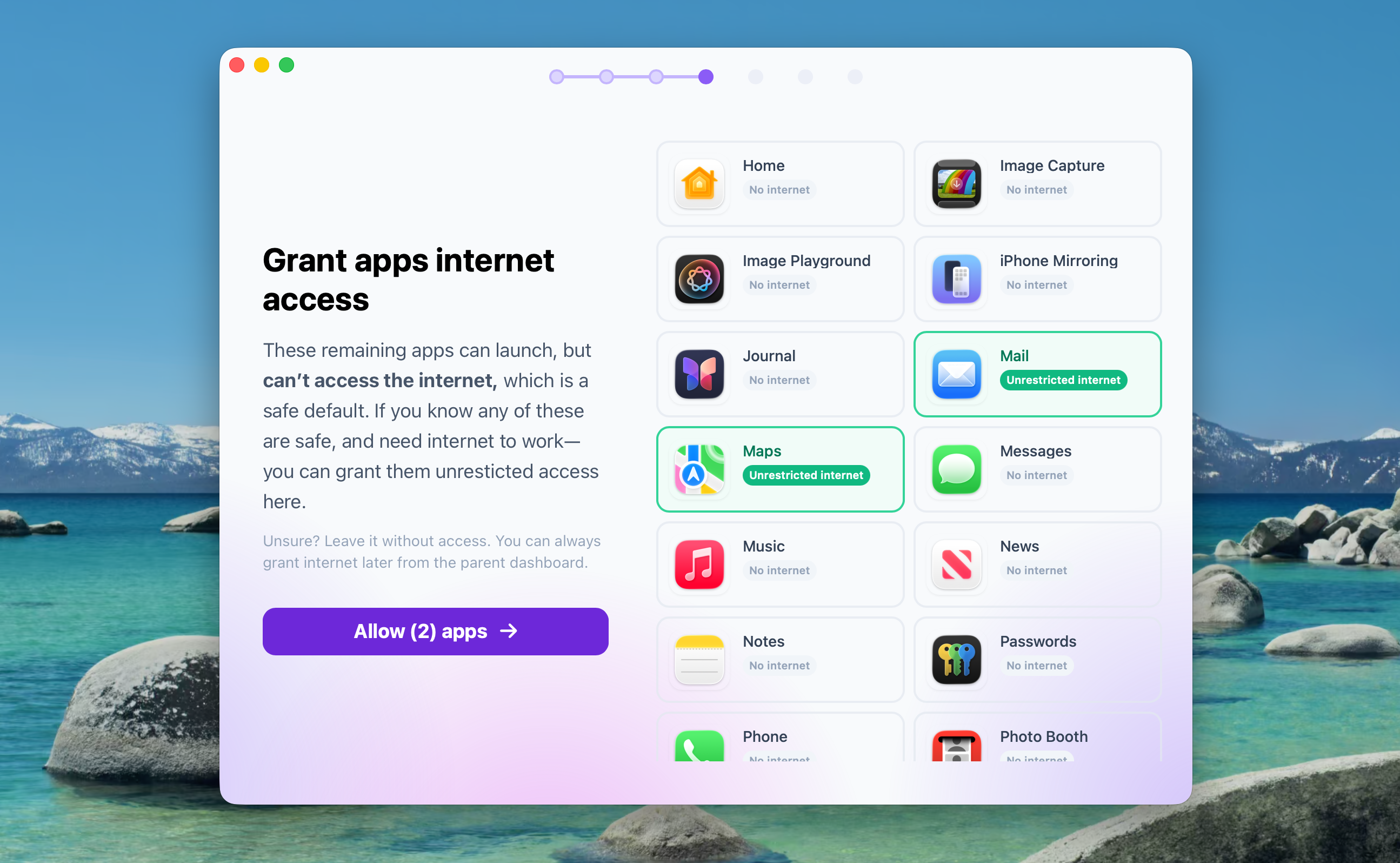
I always tell parents something like "Getting Gertrude setup for the first time is a bit tricky, but once it's installed, you're gonna love it!" In v2.9.0 we put in a huge effort to improve the initial setup wizard. Instead of just walking new parents through the complicated but necessary permissions required for Gertrude to protect and monitor your child, the setup wizard now walks you through a series of new steps to help you:
- block apps
- grant other apps unrestricted internet access
- turn on and configure downtime
- opt-in to unfiltered mode
- choose always-blocked items
- choose from public keychains
- create new keychains from website addresses
- set up text notifications
Protection Against Screen Time Conflicts
Running Apple's Screen Time website blocking alongside of Gertrude is not only not necessary, it actually is the one thing that can break Gertrude's filter.
Gertrude now proactively detects this issue, partially shuts down the internet filter to prevent any incorrect website allowances, and notifies the parent how to fix the issue.
New Feature Ntfy—New parent notification method
Gertrude has always supported email, text, and Slack notifications. But we recently added the free push notification service ntfy as a new notification method. If you have the ntfy app installed on your phone (it supports Android and iOS), you can now receive push notifications for important events like unlock requests, filter suspensions, security events and more.
If you'd like to do a small favor to support Gertrude, switch from text notifications to ntfy, it saves us a lot of money!

Small Touches
There's loads more too, some highlights include:
- made it way easier to create a safer non-admin user account during setup
- smarter app identification makes app keys work more reliably
- cmd-W now closes Gertrude windows like other Mac apps (haha, sorry)
- support copy/paste in Gertrude connection windows
- expanded browser identification list for post-suspension termination
- cleaned up duplicate keys for better performance
What Next?
We're excited to know if these new features are useful to your family. We'd also love to know what you think we should be working on next. We're building faster than ever, so if you have ideas or feature requests, please reach out and let us know!