
TL;DR: Gertrude can now notify you by email, text, or Slack when important security events happen — like password changes, login attempts, filter suspensions, and more. Especially useful if you have naughty creative kids.

A "security event" is anything that happens in the Gertrude Mac app or parents' website that could affect the safety of your child's device — things like filter suspensions, password resets, changes to monitoring settings, or login attempts. Most of the time these are perfectly normal actions taken by you, the parent. But if you weren't the one who did it, you'd want to know.
Head to your notification settings and add a new notification with the Security events trigger. You can be notified by email, text, or Slack — so you'll know right away if something happens, without having to remember to check. If you have a tech-savvy child who might try to work around their protections, these notifications give you peace of mind that you'll know about it.
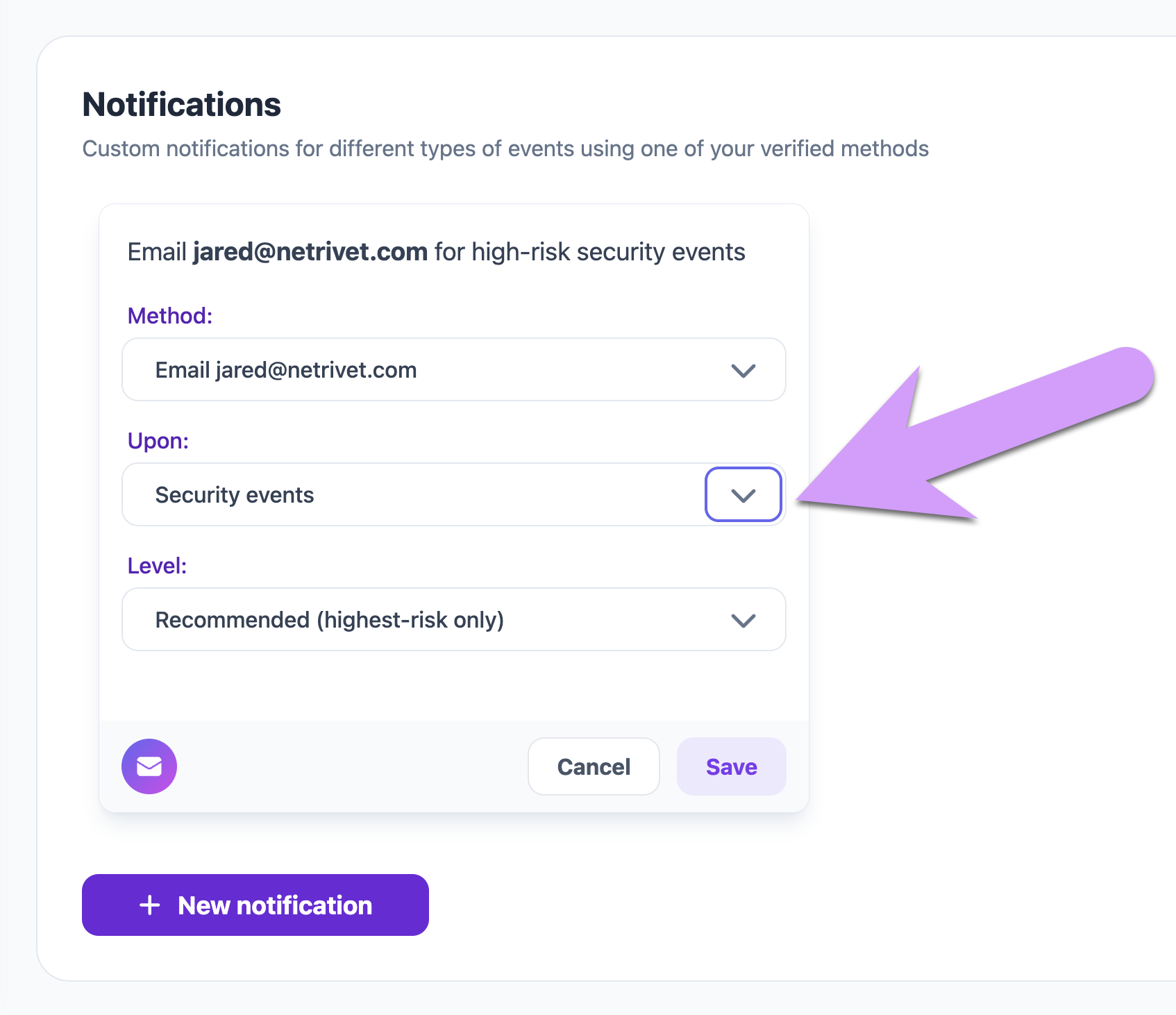
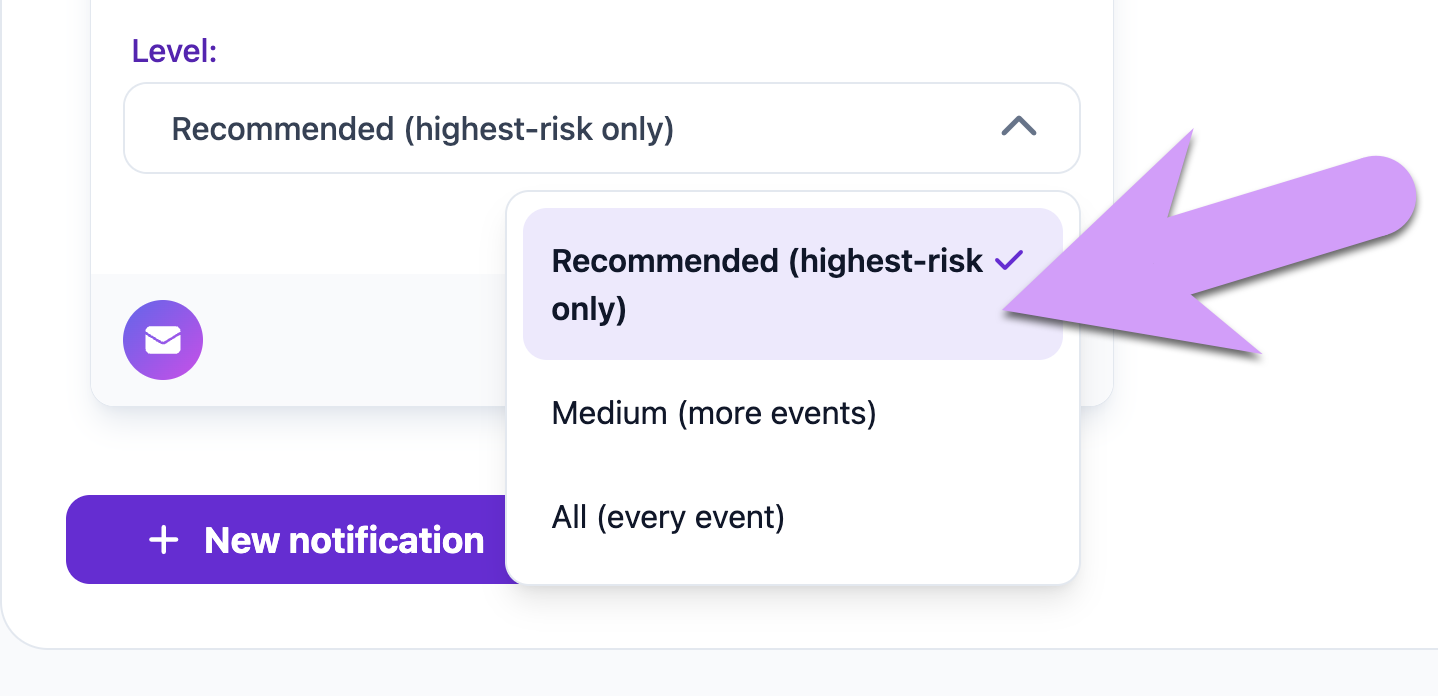
Not every security event is equally urgent. To help you get the right amount of information without being overwhelmed, there are three notification levels:
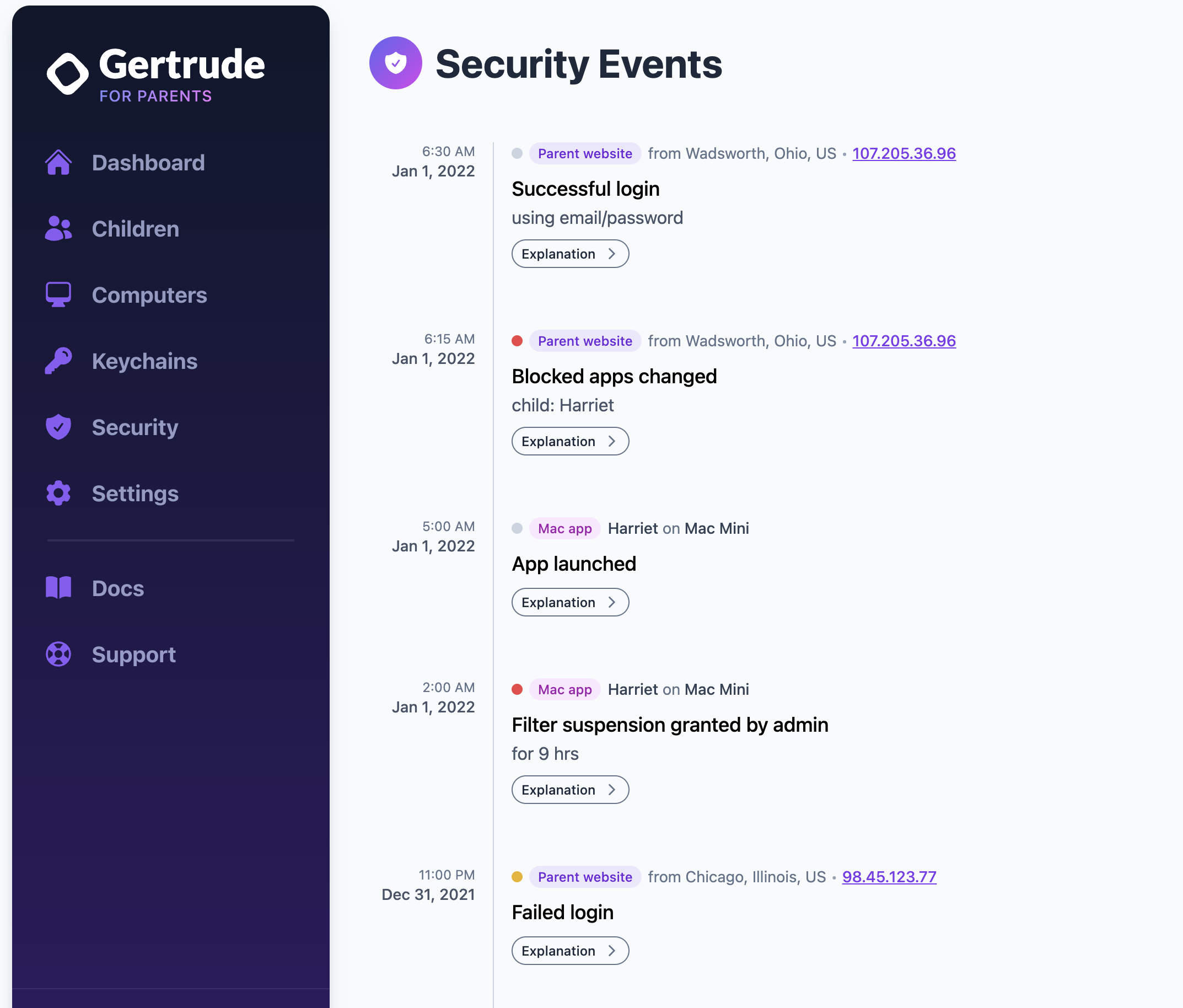
You can always review a full history of recent security events from the Security tab on the parents' website. Each event shows a colored severity indicator so you can quickly spot the most important items at a glance.
If you've been wanting more visibility into what's happening across your children's devices and your Gertrude account, we'd love to hear what you think — reach out and let us know!

The Gertrude mac app helps you protect your kids online with strict internet filtering that you can manage from your own computer or phone, plus remote monitoring of screenshots and keylogging. $10/mo, with a 21 day free trial.
Start free trial