
How to Give a Mac Admin User Internet Access
How to exempt a password-protected Mac administrator account from Gertrude’s internet filter.
- Platform
- macOS
 Gertrude for Mac
TL;DR—Sign in as your child, open the "Health Check" screen, click the icon that looks like three people on the left-side of the window, then click to allow unrestricted access for the admin user account.
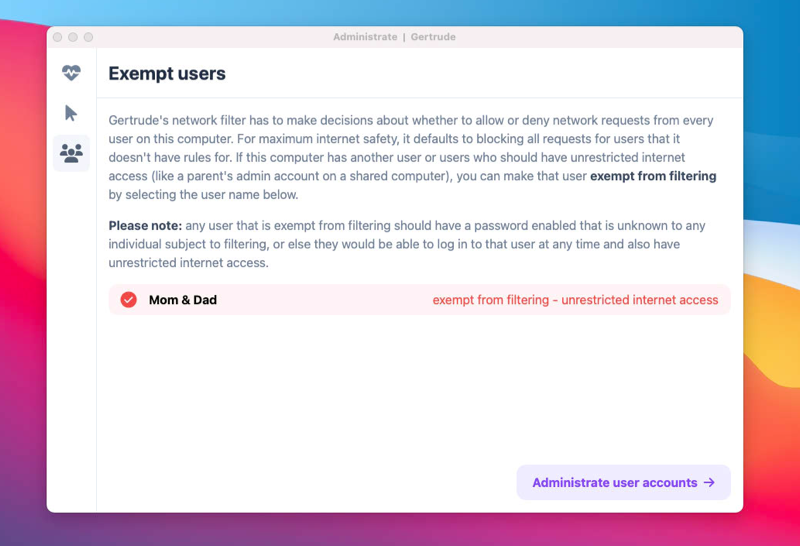
If you share a computer with your kid, and the Gertrude app is installed on their macOS user, the filter will by default block all the internet requests from every other user on the computer. That's because the Gertrude filter system extension runs as root and has to make a decision about every network request attempted by every user on the system. For maximum safety, I built Gertrude to be very defensive, when in doubt, it always takes the most safe option, which is to forbid network requests for users it has no instructions about.
Therefore, you need to explicitly instruct the filter about macOS users who should be exempt from filtering. To do this, sign in as the macOS user being protected by Gertrude. Click the Gertrude menu bar icon, then click the gear icon and choose the Exempt Users option from the left sidebar, then click to exempt the user.