
Gertrude iOS: Account Connection
You can now connect your child's iPhone or iPad to a free Gertrude parent account for remote control of blocking rules and access to new features as they're released.
- Platforms
- iOSiPadOS
 Gertrude Blocker
TL;DR—Today we're rolling out account connection — a way to link your child's iPhone or iPad to a free Gertrude parent account. You get all the same blocking, but now you can control it remotely from the Gertrude parent website.
How it works
The Gertrude iOS app closes Screen Time loopholes and blocks unwanted content like animated GIF search, Spotify images, Apple Maps, and more. But until now, the only time you could decide what Gertrude blocked was during the initial installation — and that was by design, because it was the only moment we knew for sure the parent was the one holding the device.
Starting now, you can choose to connect the iPhone or iPad to a free Gertrude account during the setup process by entering a 6-digit code from the parent website. Once connected, the device will show up associated with your child.
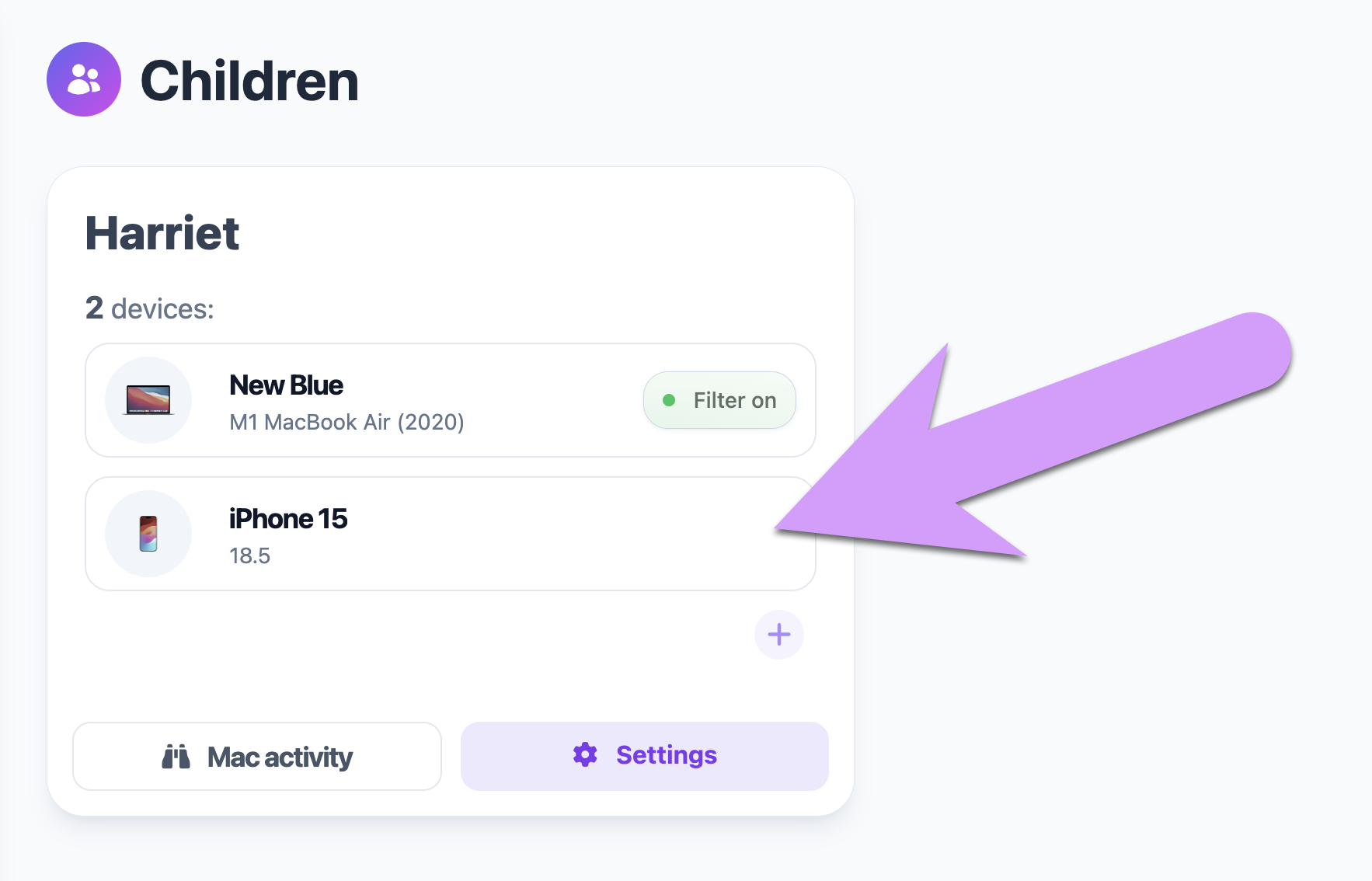
What does it give you?
The main thing is the ability to change blocking rules at any time — from any computer or phone — without having to pick up your kid's device. Also, when we release new block groups, you'll be able to opt into them from your dashboard too. Without a connection, the device is locked to whatever rules you chose when it was installed.
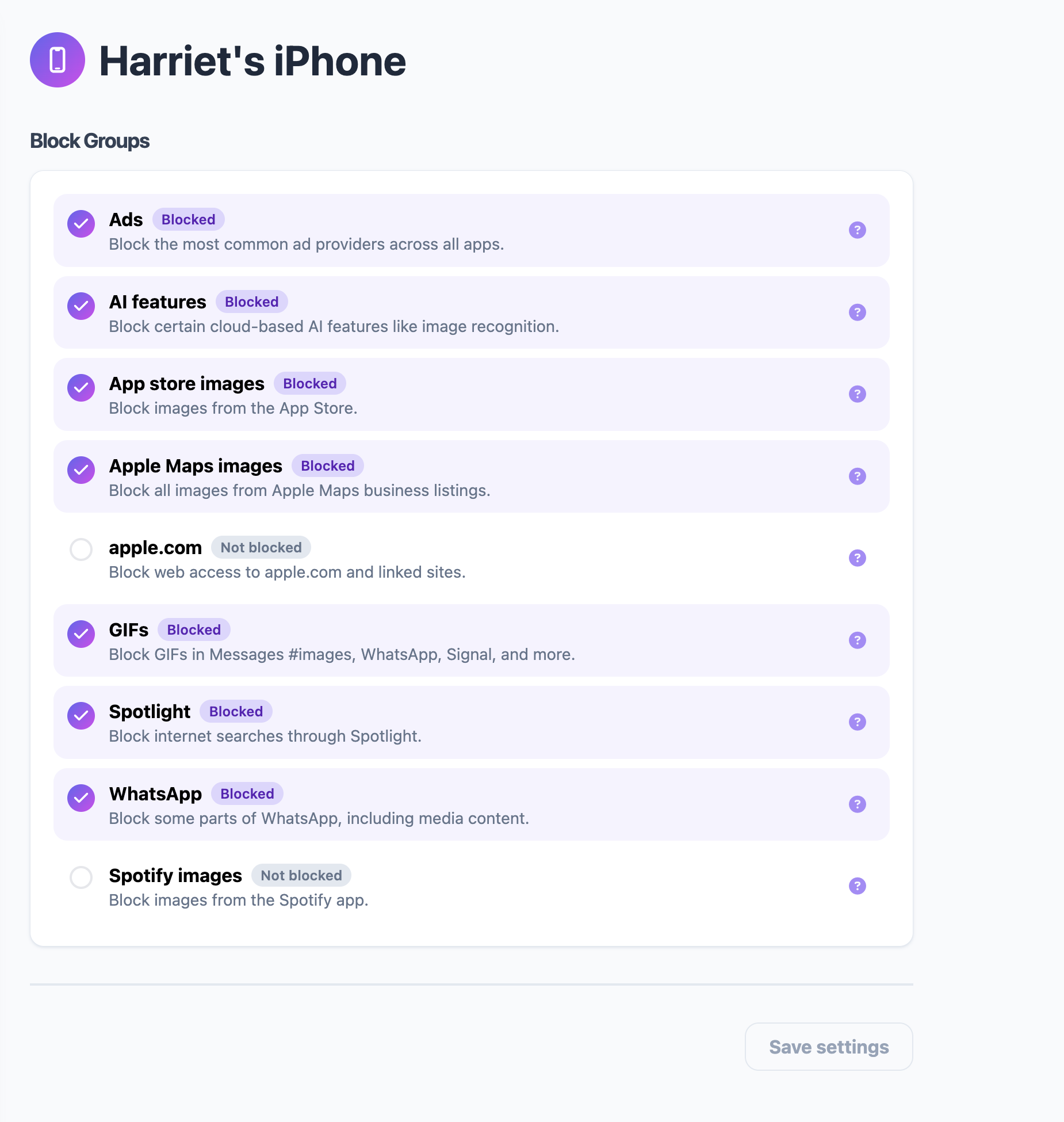
This is also the foundation for new controls and features as we build them out. The core blocking works great on its own, but connecting to an account is how you'll get access to everything we add down the road.
How much does it cost?
Connecting to a Gertrude account is free, and you get all the same blocking as if you were using the app (which has always been free) without an account.
We may add more premium controls and features in the future, but the core blocking features will always be free.
That said, if the iPhone or iPad is used by an individual who is over 18 years of age, then you either need to supervise the device yourself with Apple Configurator, or supervise it with a $10/year paid Gertrude light account in order to use Gertrude on that device. The supervision requirement is imposed on us by Apple — it's not our decision.
How do I set it up?
It only takes a minute:
- Go to https://parents.gertrude.app and create a free account (or log in if you already have one)
- Add a child and choose to connect an iPhone or iPad
- You'll get a 6-digit code — type it into the Gertrude app on the phone
That's it. The device is now linked to your account.