
New Feature: Security Event Notifications
Gertrude can now notify you when important security events happen across your children's devices and your parent account, with three configurable levels so you get just the right amount of detail.
- Platform
- macOS
 Gertrude for Mac
 TL;DR: Gertrude can now notify you by email, text, or Slack when important security events happen — like password changes, login attempts, filter suspensions, and more. Especially useful if you have naughty creative kids.

What's a security event?
A "security event" is anything that happens in the Gertrude Mac app or parents' website that could affect the safety of your child's device — things like filter suspensions, password resets, changes to monitoring settings, or login attempts. Most of the time these are perfectly normal actions taken by you, the parent. But if you weren't the one who did it, you'd want to know.
How to set it up
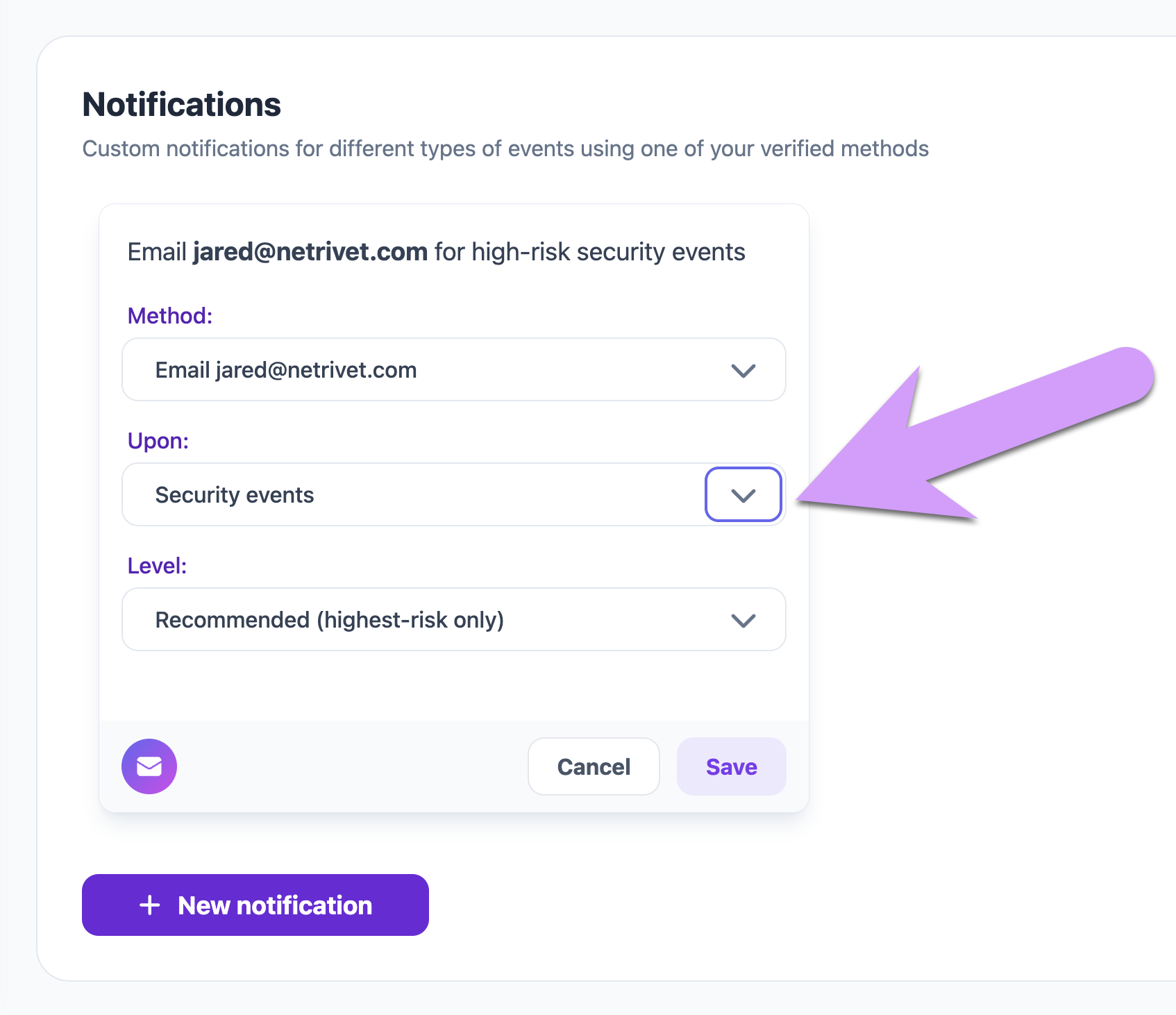
Head to your notification settings and add a new notification with the Security events trigger. You can be notified by email, text, or Slack — so you'll know right away if something happens, without having to remember to check. If you have a tech-savvy child who might try to work around their protections, these notifications give you peace of mind that you'll know about it.
Choose your notification level
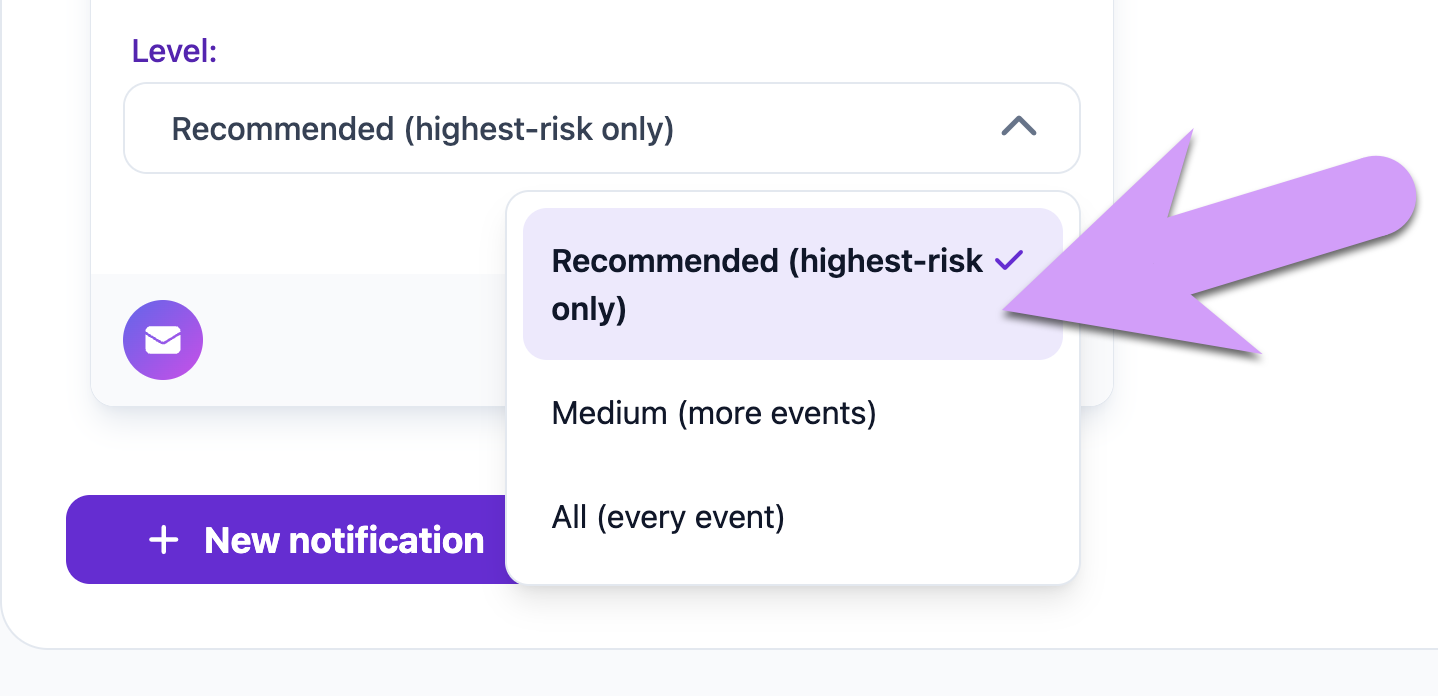
Not every security event is equally urgent. To help you get the right amount of information without being overwhelmed, there are three notification levels:
- Recommended — only the highest-risk events, like password changes, or a filter suspension being granted by use of the computer admin password (which can happen if your child learns your admin password). This is a great default for most parents.
- Medium — includes everything in Recommended, plus events like failed login attempts, system time zone changes, and remote filter suspensions.
- All — every recorded security event, including lower-risk items. Usually not necessary, but if you want to be notified about everything, this is the option for you.
Security events feed
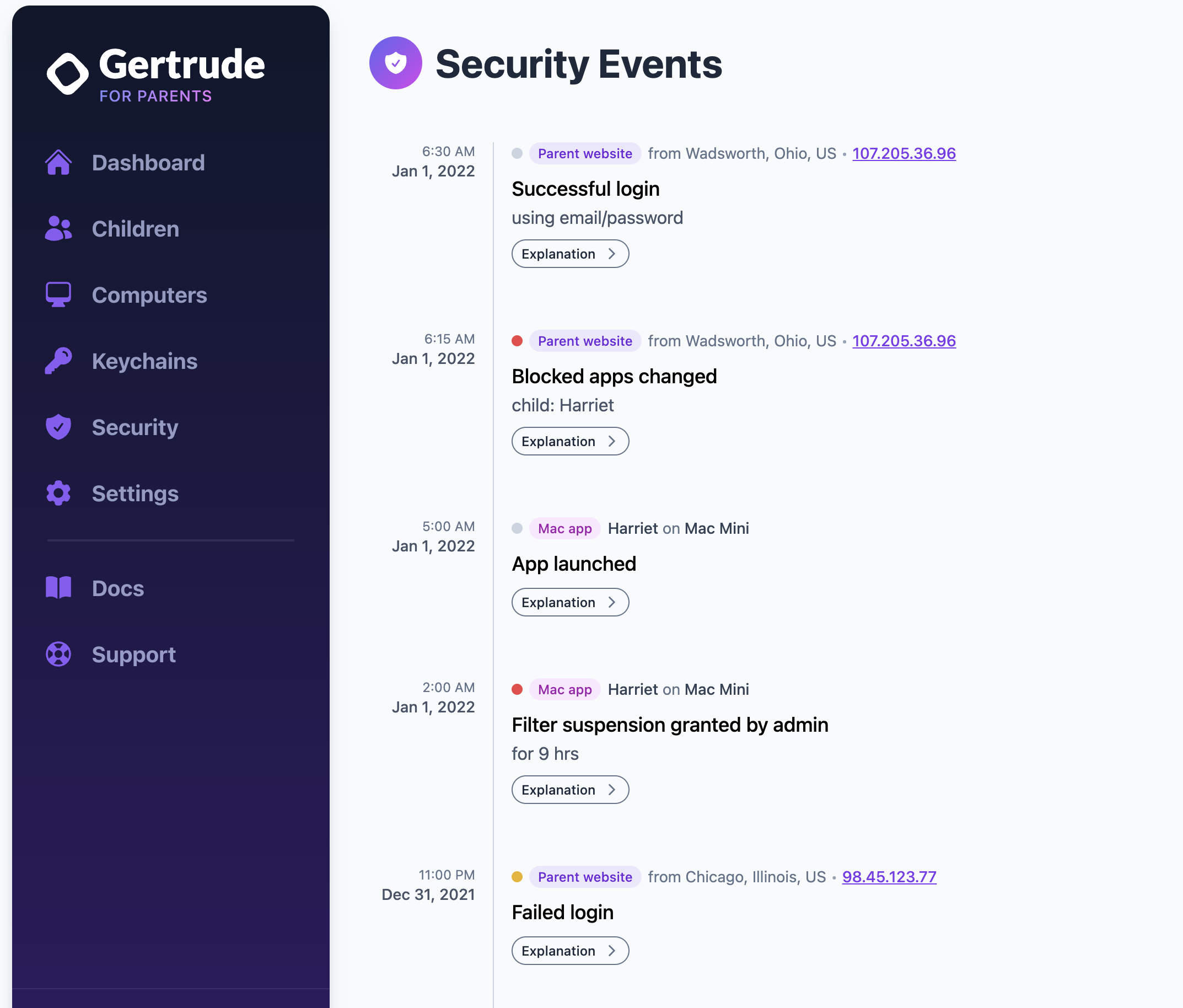
You can always review a full history of recent security events from the Security tab on the parents' website. Each event shows a colored severity indicator so you can quickly spot the most important items at a glance.
What next?
If you've been wanting more visibility into what's happening across your children's devices and your Gertrude account, we'd love to hear what you think — reach out and let us know!